

Features · Flats & blocks
Every block, floor and flat, at a glance.
Progress rolls up from the task to the flat, the floor, the block and the project — and you can look at it from any of those levels.
Flats
Floor by floor, flat by flat.
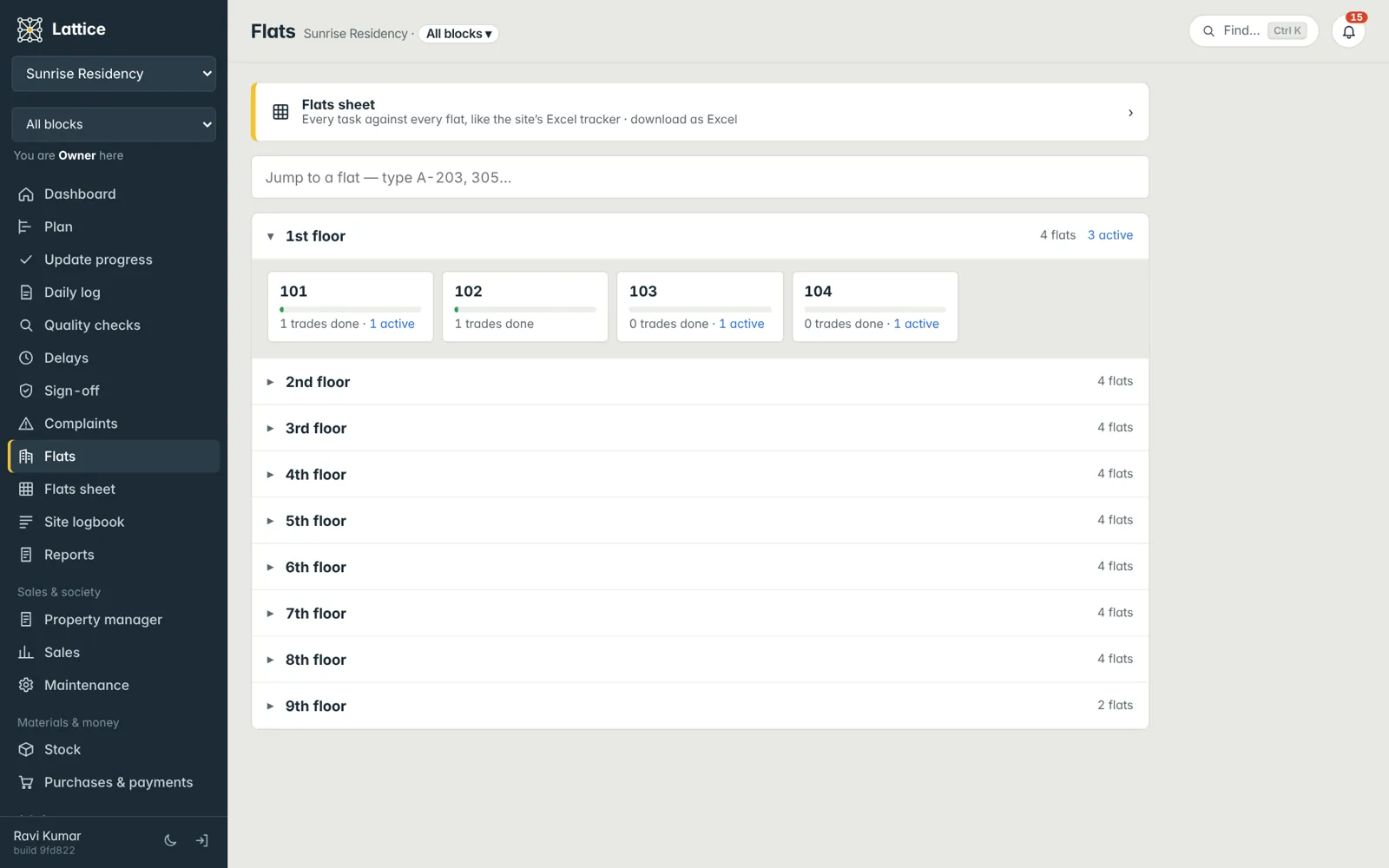
The Flats screen lists each floor with its flats: how many are complete, which are active and what is pending in each. Open a flat for its tasks, photos and history — and, after sale, the grey “On hold – awaiting customer” tag when a buyer’s request is holding work.
- Floors, flats and zones created in one go per block
- Area in sq ft, sq yd, sq m, acre, cent or gunta
- Search any flat from anywhere
The flats sheet
The whole building on one sheet.
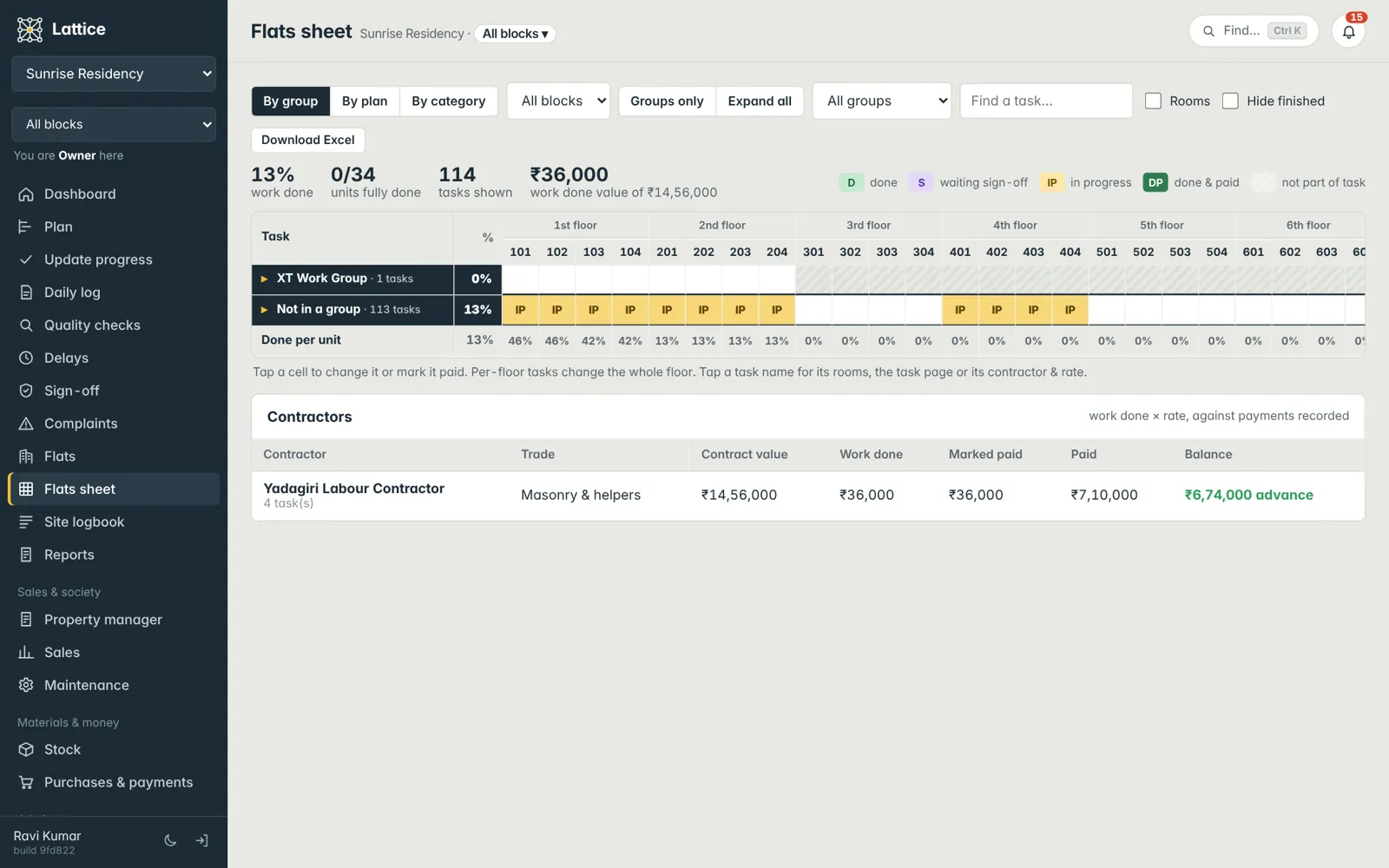
Every flat across, every work group down — Centering, Slabs, Brickwork, Wiring, Tiles, Painting… Each cell shows done, in progress or not started; open a group to see its tasks. View it by group, by plan or by category, filter by block, and download it as a formatted Excel.
- Work groups you name and order yourself
- Block-by-block or the whole project
- Contractors, rates and paid marks per group
Blocks
One chooser for the whole app.
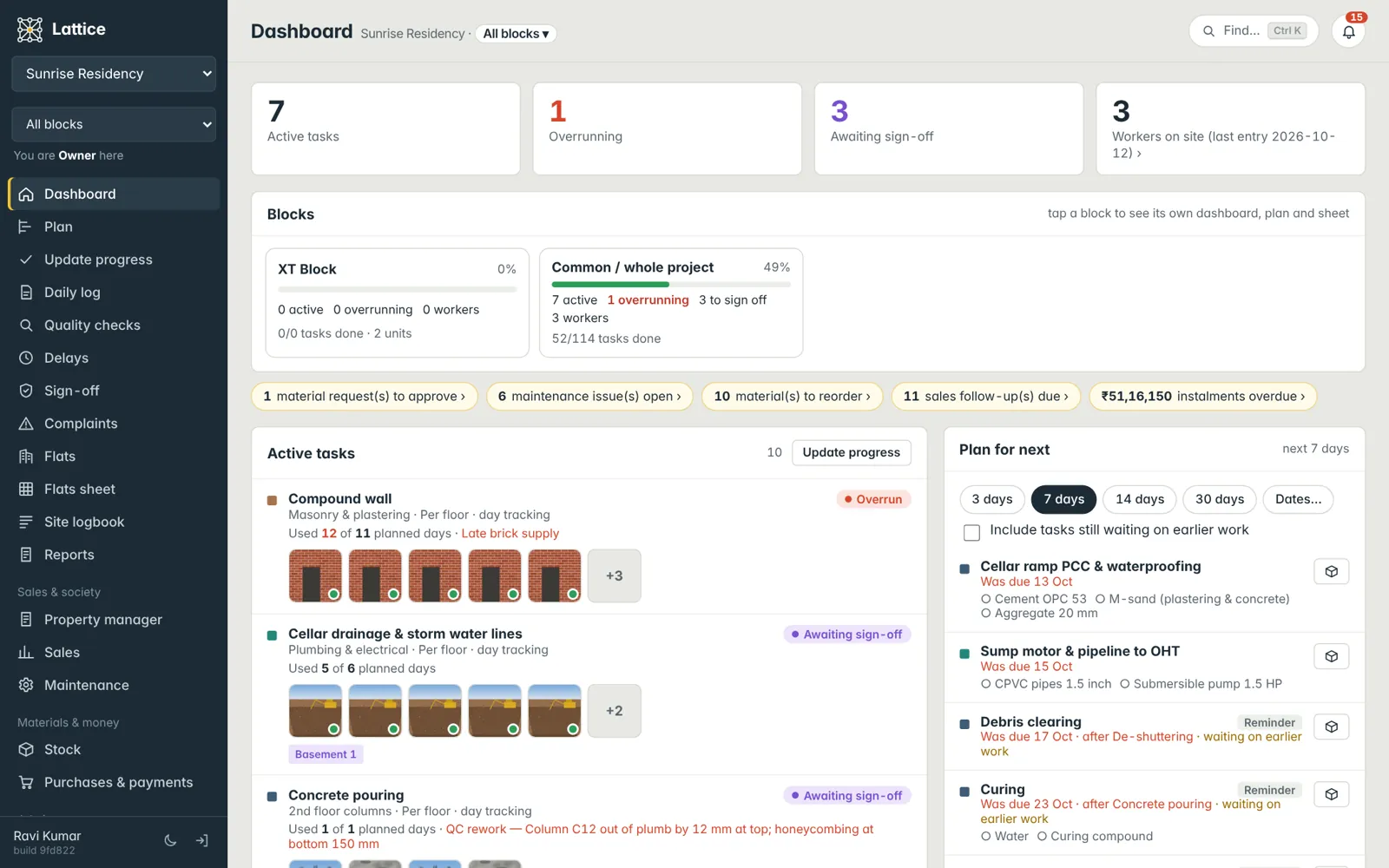
Add blocks (Block A, Tower 1, East wing). Pick one at the top and the dashboard, plan, logs and flats follow it; choose All blocks and the dashboard shows the project totals with a card per block — active, overrunning, waiting for sign-off and workers.
See it on your own project.
A walkthrough with your blocks, your schedule and your team’s roles — straight from the founder of Konkat, no sales desk in between.