

Features · Workers
Who worked, on what, today.
One workers sheet per site per day. Counted once, split fairly across tasks — and honest about who was standing idle.
The workers sheet
Masons, helpers, carpenters — booked to the work in progress.
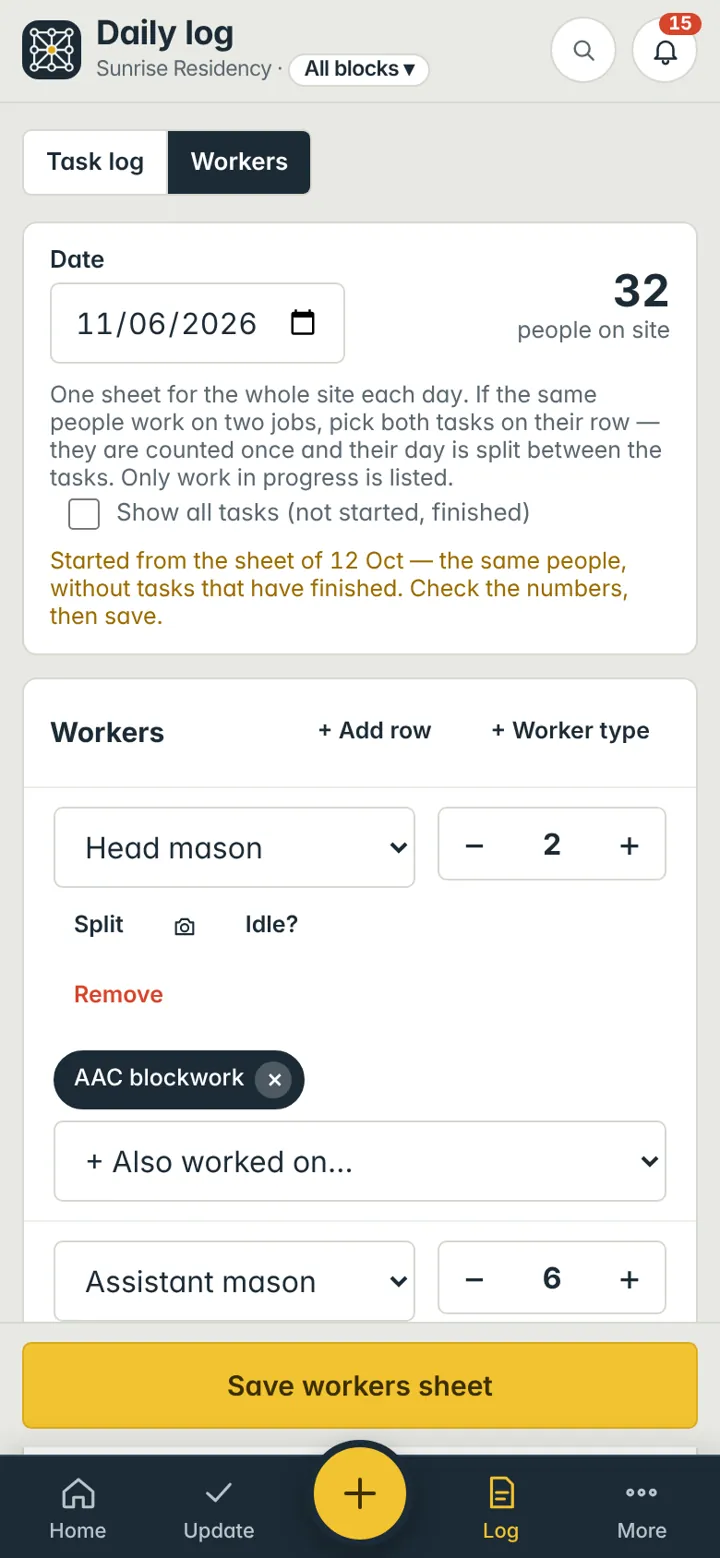
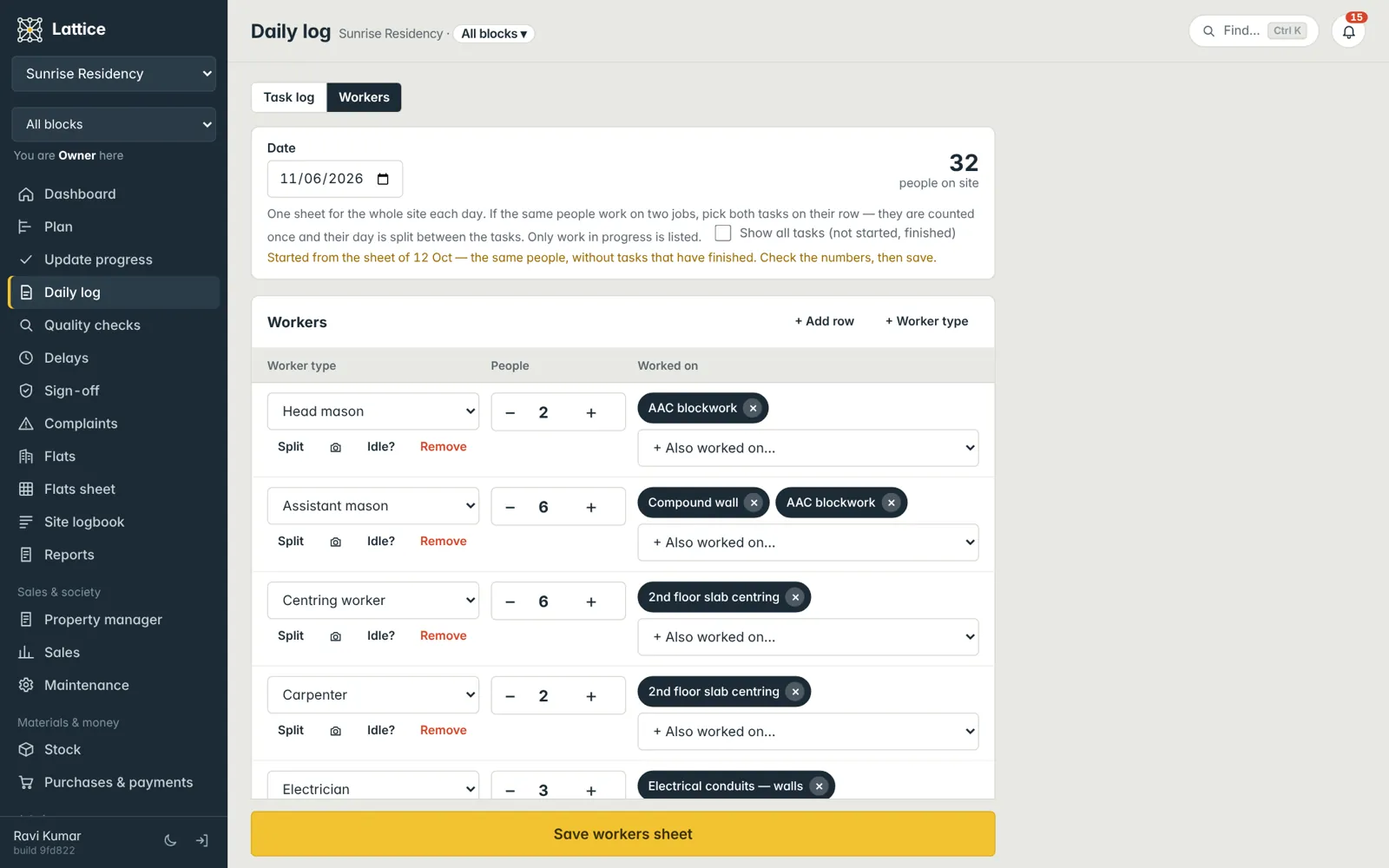
Each row is a type of worker and a number. Pick the tasks they worked on from the work in progress (or show all tasks for touch-ups and rework). If the same people worked on two jobs, pick both: they are counted once and their day is split.
- A new day starts from yesterday’s sheet — you only adjust
- Worker types and day rates you define
- People not booked to a task count as general site work
- Photos on a row for proof of attendance
Idle time
On site is not the same as working.
Tap Idle? on a row: how many of those people were not actually working, and why — waiting for material, no work front, rain. They are not charged to the row’s tasks, reports show them as Not working, and you can reassign them to another task in one step.
Contractors
Rates, measured work and what has been paid.
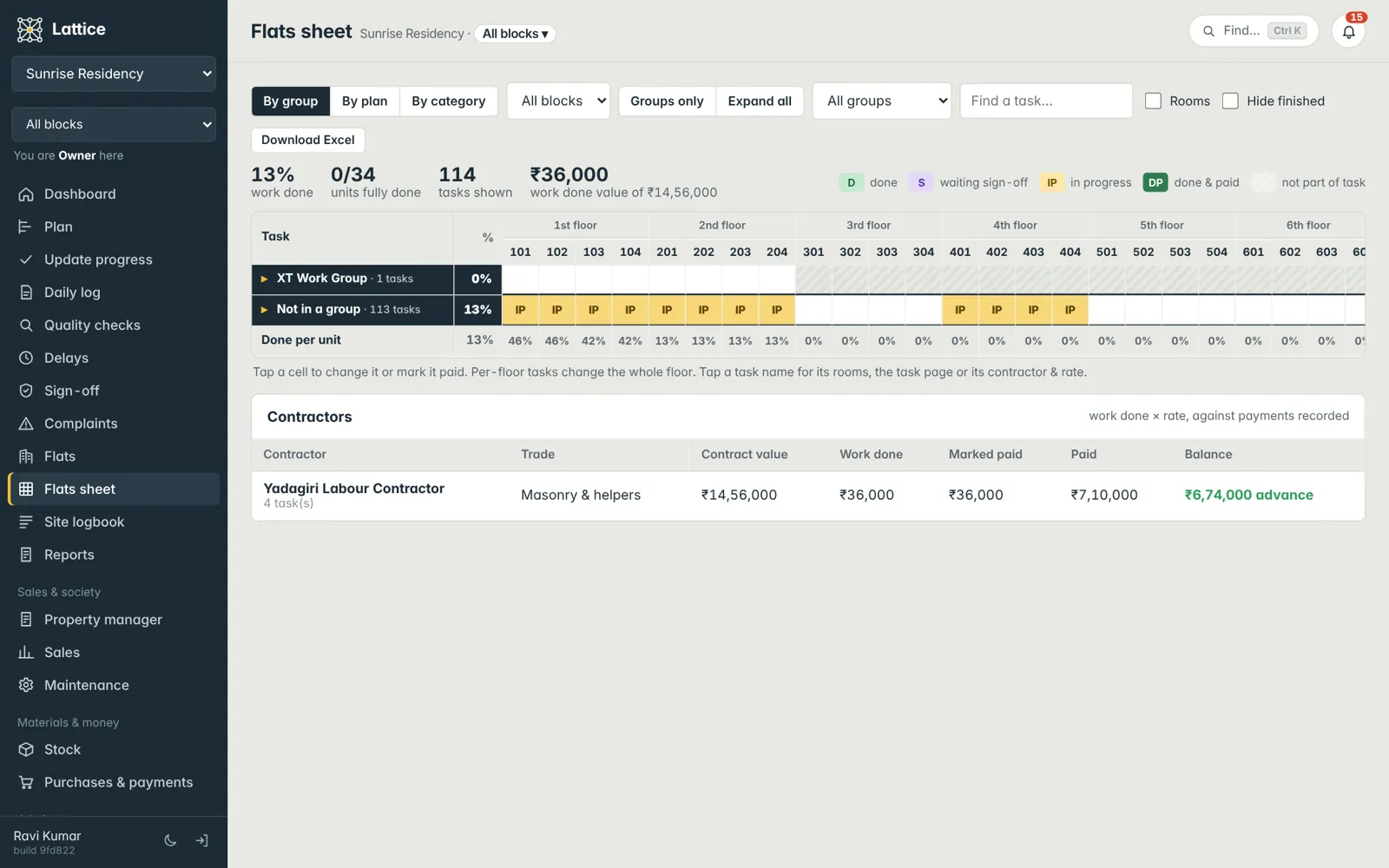
On the flats sheet, each work group can carry its contractor and unit rate; tick floors and flats as paid with a date. The money summary shows what contractors are owed against what was paid.
- Contractor and rate per work group
- Paid marks per floor and flat
- Workforce log report as a PDF
See it on your own project.
A walkthrough with your blocks, your schedule and your team’s roles — straight from the founder of Konkat, no sales desk in between.