

Features · Materials & money
Cement in, cement used, cement paid for.
Stock per site, requests and approvals, purchase orders, receipts and payments — tied to the tasks that use the material.
Stock
What is on site, what is running low, what is coming.
Each site has its stores. Receive material against an order, issue it to a task, transfer it between sites — or let the daily log take it out as it is used. Lattice shows the value of stock and what is below its reorder level, and forecasts what the next weeks will need.
- Material requests from site, approved by the office
- Movements: received, used, transferred, adjusted
- Opening stock and material lists from Excel
- Material estimate from types of work and quantities

Purchases
From order to receipt to payment.
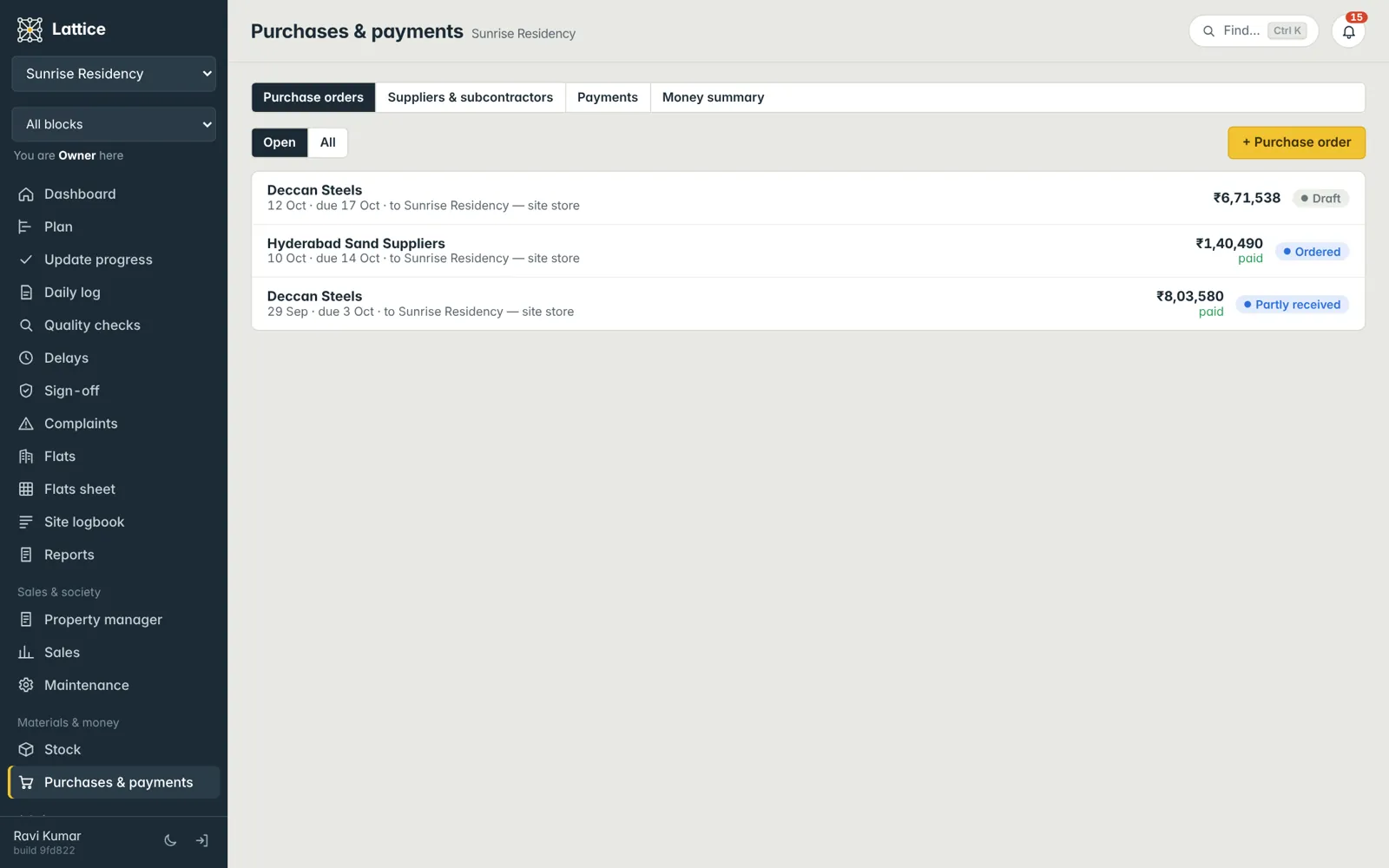
Raise a purchase order to a supplier, receive it in parts, and record payments against it — Mark as paid for the whole balance in one tap, or part payments. Suppliers and subcontractors live in one list; import your suppliers from ERPNext if you use it.
- Orders, receipts and balances per supplier
- Payments out and money in, with a money summary
- ERPNext supplier import (Lattice never writes into ERPNext)
See it on your own project.
A walkthrough with your blocks, your schedule and your team’s roles — straight from the founder of Konkat, no sales desk in between.