

Features · Planning
Plan the building the way it will be built.
A Gantt chart that knows about blocks, floors and flats — so the plan, the site and the sales team are talking about the same thing.
The plan
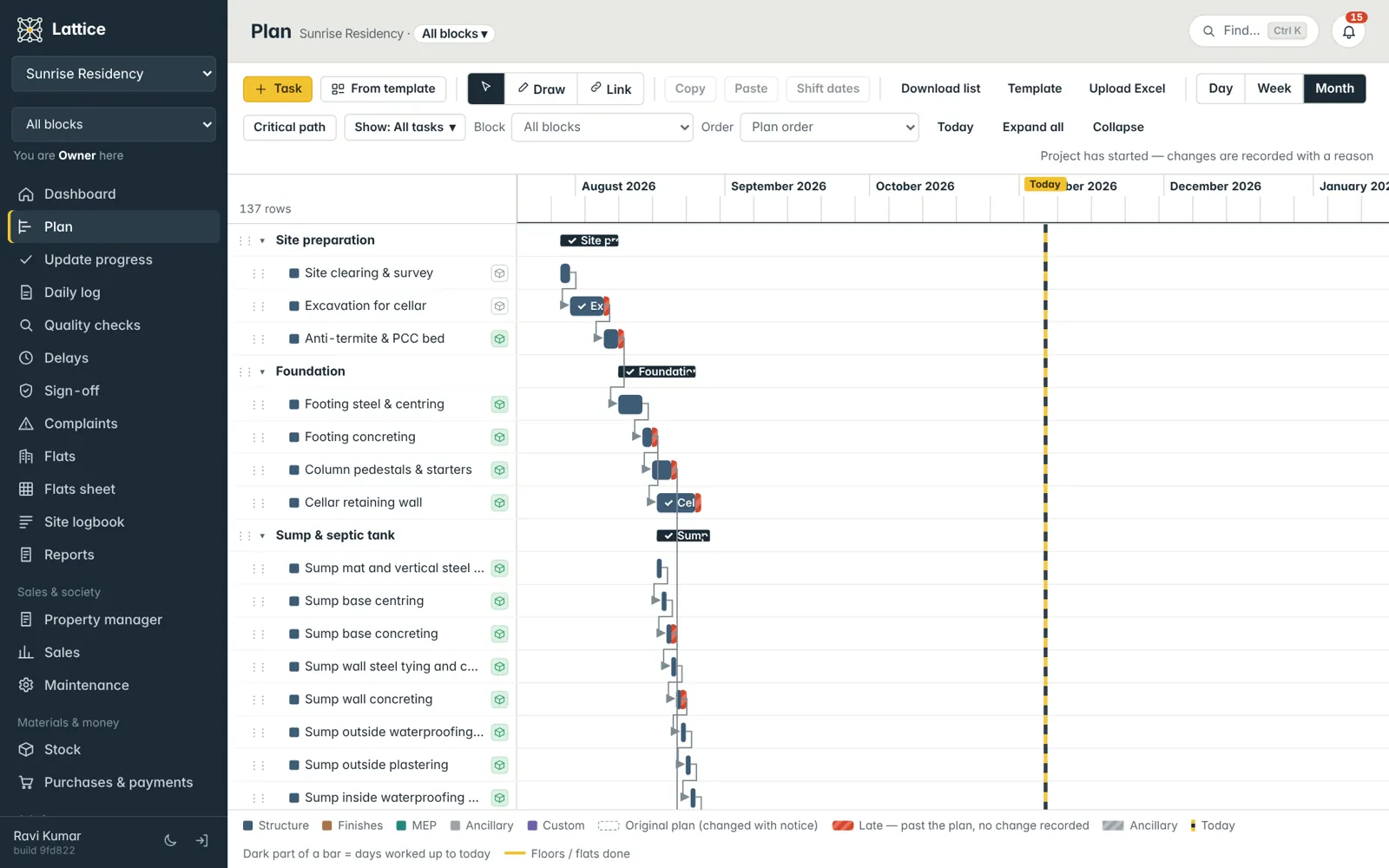
A Gantt chart broken into blocks, floors and flats.
Tasks sit in groups (Foundation, Superstructure, Finishes…) and carry a category — structure, finishes, MEP or ancillary. A floor-by-floor task knows which floors and flats it covers, and a thin yellow bar shows how many are done.
- Day, week and month views; drag to move or stretch a bar
- Start from a template and adjust, or upload the plan from Excel
- Put tasks in a block — or leave them as common work for the whole site
- Work groups (Centering, Slabs, Wiring…) that also drive the flats sheet
Links and the critical path
Draw the links. See what really drives the finish date.
Switch to Link and click one task, then the one that follows. Lattice keeps the chain; Critical path highlights the tasks that move the end date if they slip.
- Finish-to-start links drawn on the chart
- Copy, paste and shift a whole set of dates in one go
- Right-click to set a group or move tasks to another block
- “Show” filter: only not-started and in-progress work — or blank out the rest

Changes with a reason
Once work starts, the plan keeps its memory.
Before a project starts you can move anything freely. After it starts, moving a date asks why — and the original bar stays as a dotted outline. Work that runs past its plan without a recorded change shows a red segment, so silent delays can’t hide.
- Original plan vs. today’s plan on the same bar
- A red “late” segment for work past its date with no change recorded
- Ticks on bars: done, and done but waiting for sign-off
- Every change listed with who, when and why

Also in planning
Small things that save a planner hours.
Templates
Save a typical floor cycle or a villa as a template and drop it into the next block or project.
Excel both ways
Download the plan, fill the template, upload it back — with a preview of every new and changed task first.
Block chooser
Pick a block once at the top; the plan, dashboard, flats and logs all follow it.
Task page
Status, days worked, workers today, materials, links, photos and every update for one task.
Plan for next week
The dashboard lists what should start soon, so material and labour can be lined up in time.
Material estimate
Give tasks a type of work and a quantity; Lattice works out the cement, steel and sand they need.
See it on your own project.
A walkthrough with your blocks, your schedule and your team’s roles — straight from the founder of Konkat, no sales desk in between.